CSV Variant Maker
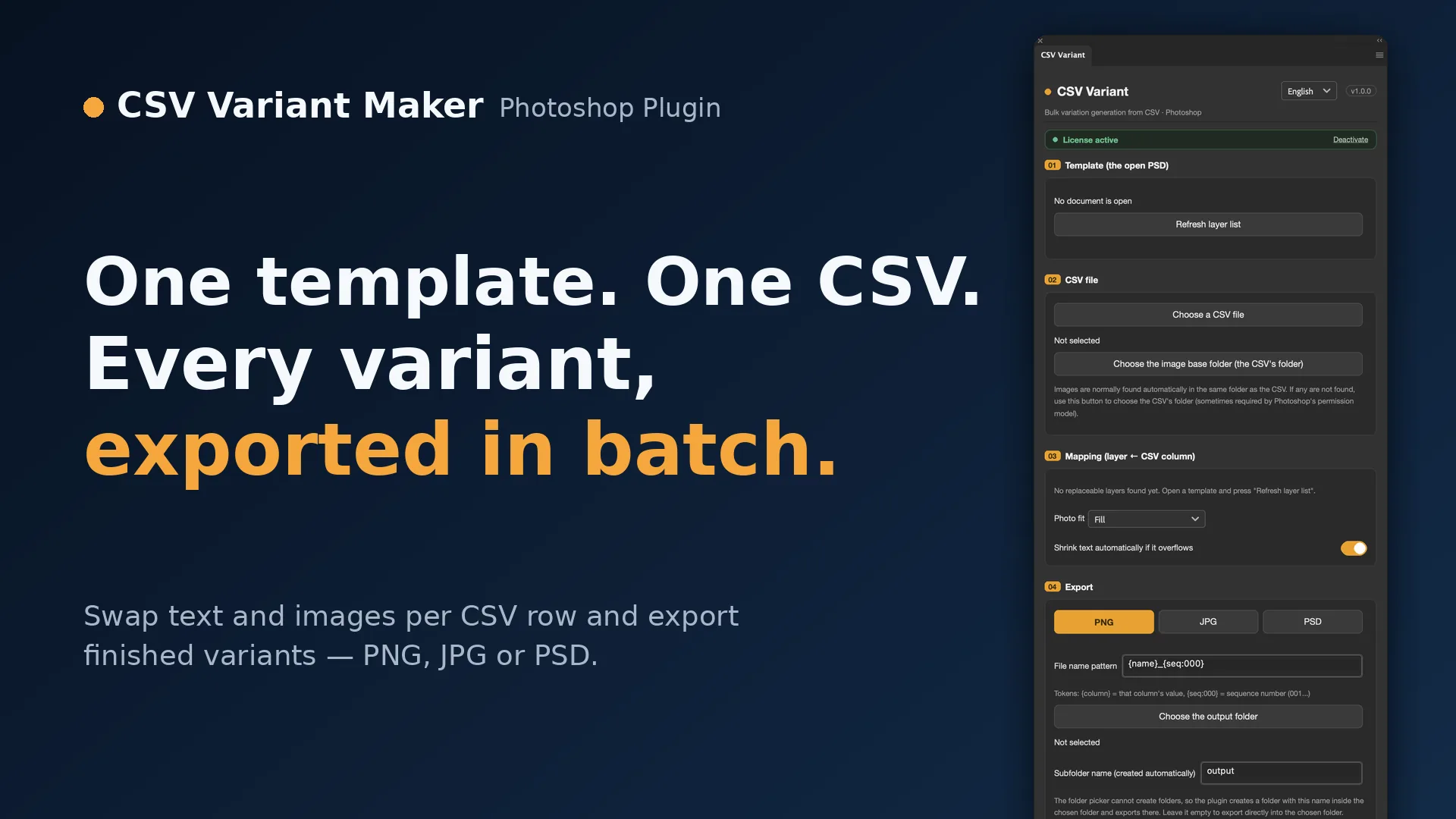
(English / Japanese)One template and one CSV export every variant in a batch. Text and images are swapped row by row.
v1.0.0 / Photoshop 23.3 or later / macOS & Windows
Your download link and license key arrive in your order confirmation email. One license covers up to 2 computers.
Overview
Mail merge, for Photoshop. Do you make dozens of images with the same layout where only the name, number and photo differ? Retyping the text, swapping the photo, saving under a new name, over and over… This plugin ends that repetitive work with a single CSV file.
CSV Variant Maker is a Photoshop UXP plugin that exports a finished image for each row of a CSV file, from a template PSD. Text replacement, Smart Object (photo) replacement and automatic file naming are all processed in one batch. It's a practical tool that's easier to follow — and harder to stall — than Photoshop's built-in Variables / Data Sets.
Who It's For
- You mass-produce sports team uniform images (name + jersey number)
- You make event attendee certificates, completion certificates and name badges, one per person
- You prepare e-commerce product images and social media posts in bulk, with different wording
- You make personalized items in batches — fan goods, keepsakes and the like, each with a name
- You gave up on Photoshop's Variables feature because it was hard to follow
Features
One CSV Row = One Finished Image
For each CSV row, text layers and Smart Objects are swapped and exported. Export formats: PNG / JPG (quality adjustable) / PSD.
Layer Name = Column Name, Matched Automatically
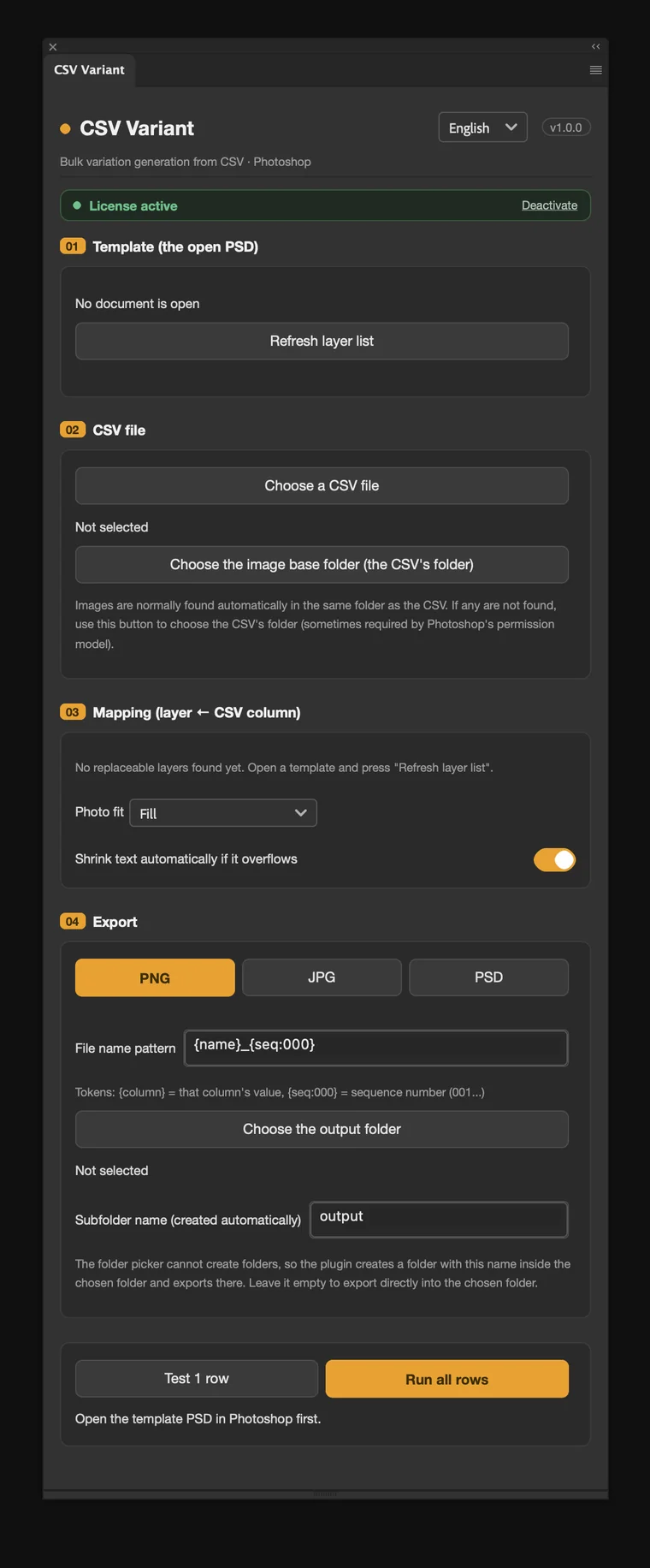
When a template layer name matches a CSV column name, they're paired automatically just by loading the file. When they differ, you can assign them manually from a dropdown. Layers inside groups are covered too.
Photo Replacement and Fitting
The photo in a Smart Object is replaced with the image specified in the CSV. Fitting options: Fill (crop to fill the frame) / Fit (fit the whole image) / None (replace only).
Only Long Text Shrinks Automatically
Only rows where text like a name would overflow the frame are shrunk, layer and all, to fit. Short text stays at the template's size, so text sizes never end up inconsistent.
File Names Generated Automatically
Patterns can use {column} and {seq:000} (serial numbers). For example, {name}_{seq:000} produces files like TaroTanaka_001.png. Characters that can't be used are replaced automatically, and name collisions are avoided by appending _2. Subfolders can be created automatically to keep things organized.
CSV in UTF-8 and Shift_JIS
Shift_JIS CSVs made in Excel load without garbled text. A full-row preview lets you check the contents before exporting.
A Batch That Doesn't Stall
A progress bar and cancel (stops between rows), plus a per-row success/failure log. Even if one row fails, the run continues to the end, and successful files are kept. The template PSD itself is never modified (each row works on a duplicate).
Image Check Before Running
If there is a photo column, the panel shows how many images were found when the CSV is loaded. If it's zero right before running, the run stops, so you don't waste a big batch.
Screenshots
Requirements
- Software
- Adobe Photoshop 23.3 or later
- OS
- macOS (Apple Silicon & Intel) / Windows 10 & 11
- Format
- Photoshop UXP plugin (no Creative Cloud app needed for installation)
- Languages
- Japanese & English (follows your Photoshop UI language; manual switching available)
- License
- One license covers up to 2 computers (Mac and Windows can be mixed). Version 1.x updates are free.
FAQ
How is it different from Photoshop's built-in Variables / Data Sets?
The difference is clarity — layer names and column names that match are paired automatically just by loading — and a batch that doesn't stop when one row fails. The automatic shrinking of only long text isn't in the built-in feature either.
Will a CSV made in Excel come out garbled?
No. Both UTF-8 and Shift_JIS are supported, so you can load Excel CSVs as they are.
How do I receive my license key after purchase?
Your order confirmation email contains the download link and your license key. Enter the key in the panel to activate — this first activation is the only step that needs an internet connection. Download links can be reissued free of charge within 30 days of purchase.
How many computers can I use it on?
One license can be activated on up to 2 computers. Activation is done online the first time only. After activation, you can keep using it offline, with no expiry. When you replace a computer, deactivate it from the old computer's panel to free up the slot.
Can I return or cancel my purchase?
You can cancel as long as the download has not started and your license key has not been issued. For details, see the Act on Specified Commercial Transactions (Japanese). (The Japanese version is the authoritative text.)
One-time purchase. Your download link and license key arrive in your order confirmation email.