CutPorter
(English / Japanese)Cut out a whole folder of product photos in one batch and export them at a uniform size. Runs fully locally — no uploads, no credits.
v1.1.0 / Photoshop 23.3 or later / macOS & Windows
Your download link and license key arrive in your order confirmation email. One license covers up to 2 computers.
Coming from remove.bg?
remove.bg's standalone service — including its desktop app and Photoshop plugin — ends on 1 December 2026. CutPorter is the alternative that stays inside Photoshop and never uploads your images. The comparison with the built-in tools and Canva, and the migration steps, are on a dedicated page.
Overview
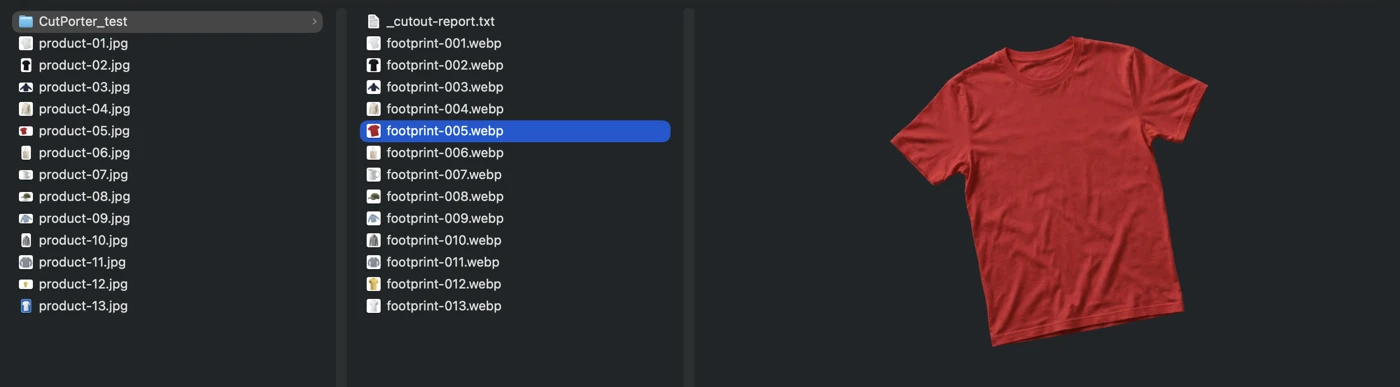
Drop your product photos shot on a white background into a folder and press one button. CutPorter cuts out each image and exports transparent files at a fixed size and fit.
The cutout uses Photoshop's own AI, and all processing is completed on your computer. Your images are never sent to the cloud. There are no per-image credits and no subscription — it is a one-time purchase.
Who It's For
- You produce e-commerce product images to the same spec, over and over
- You don't want to upload product photos to a web-based cutout service
- You want out of per-image credit charges and monthly subscriptions
Features
Folder Batch Processing
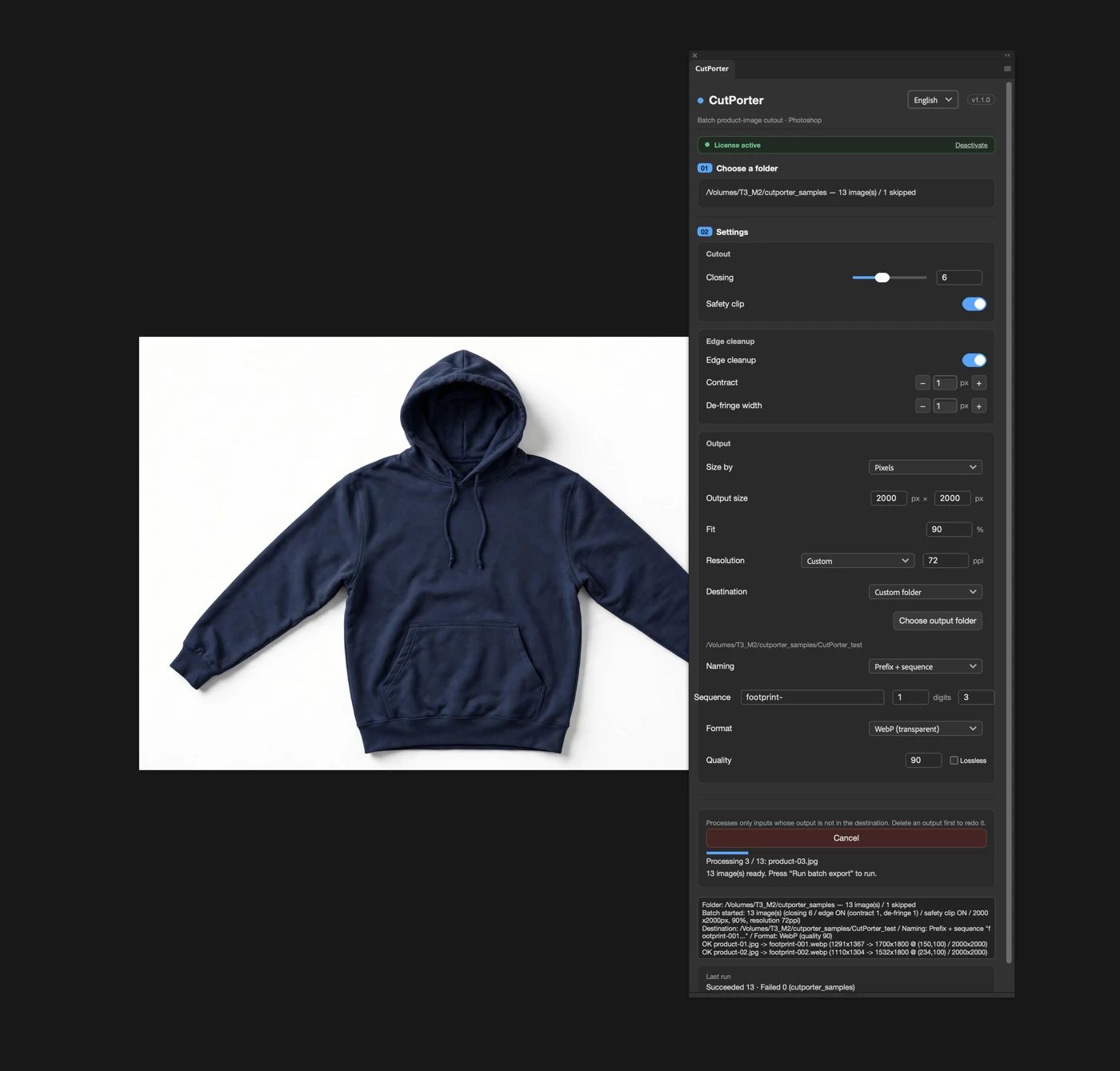
Check successes and failures in a per-run report. The new “Re-run Missing Only” feature processes only the outputs that are not in the destination. If you change the settings to redo an image, only that image is processed again. Your original images are never modified.
One Spec for Everything
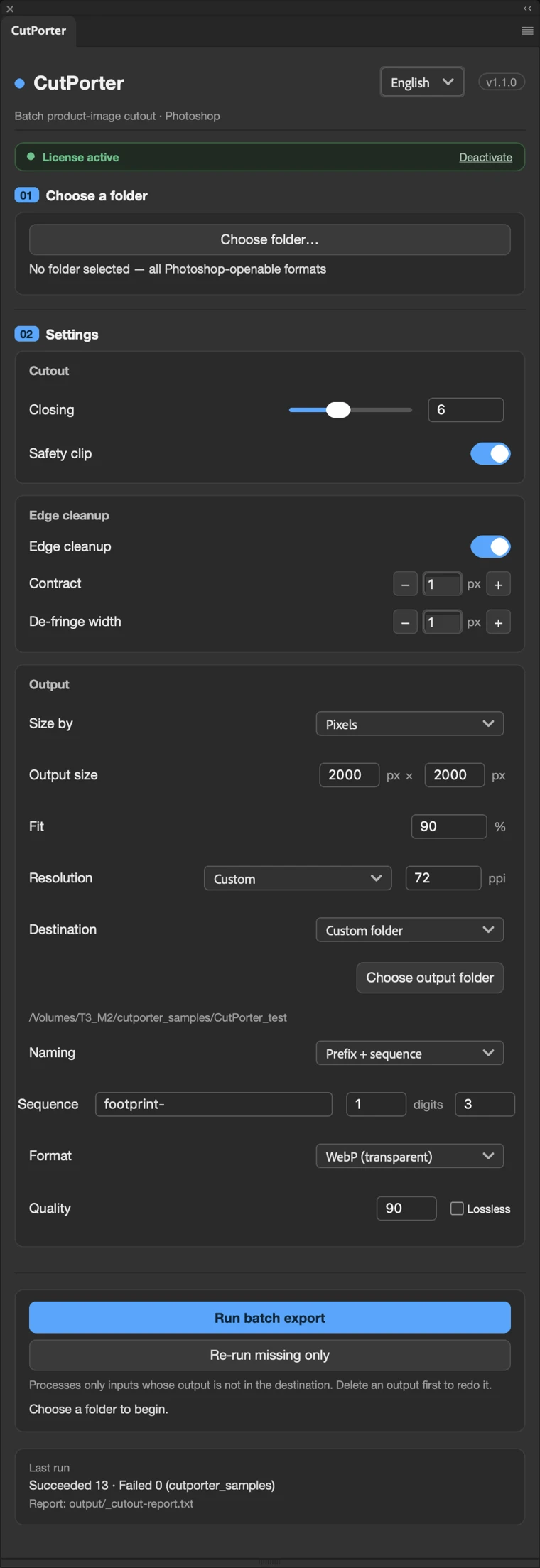
Set the output size (default 2000×2000), subject fit (default 85%) and resolution in ppi, and every image comes out in the same shape.
Your Choice of Format
PNG (transparent), JPEG (white background) or WebP (transparent). JPEG and WebP support quality settings, and WebP can also be saved losslessly.
"Print Rescue" Knob
A rescue feature that fills back in areas the AI dropped because it mistook them for the background — white lettering on dark garments is the classic case. It is the last resort that web-based services don't give you.
Safety Clip
Anything the rescue adds outside the outline is trimmed back automatically, so fine shapes like sleeve notches stay exact.
Edge Cleanup
The outline is contracted and the original background color fringe is removed, so no white halo remains when the cutout is placed on a new background.
Fully Local, One-Time Purchase
No API key, no per-image fees — and a design with no service that can be shut down on you.
Bilingual Panel (Japanese / English)
The panel follows your Photoshop UI language automatically, and you can switch it manually too.
Screenshots
Requirements
- Software
- Adobe Photoshop 23.3 or later
- OS
- macOS (Apple Silicon & Intel) / Windows 10 & 11
- Format
- Photoshop UXP plugin (no Creative Cloud app needed for installation)
- Languages
- Japanese & English (follows your Photoshop UI language; manual switching available)
- License
- One license covers up to 2 computers. Version 1.x updates are free.
* The cutout uses Photoshop's built-in AI (subject detection). Validated on white-background product photos (solid-color backgrounds such as black and blue also cut out fine). On images without a clear subject — screenshots, scenery and the like — the cut may differ from what you intend.
FAQ
Are my images ever sent to the cloud?
Never. The cutout is processed by Photoshop's built-in AI, and every step is completed on your own computer.
How do I receive my license key after purchase?
Your order confirmation email contains the download link and your license key. Enter the key in the panel to activate — this first activation is the only step that needs an internet connection. Download links can be reissued free of charge within 30 days of purchase.
How many computers can I use it on?
One license can be activated on up to 2 computers. Activation is done online the first time only. After activation, you can keep using it offline, with no expiry. When you replace a computer, deactivate it from the old computer's panel to free up the slot.
Can I return or cancel my purchase?
You can cancel as long as the download has not started and your license key has not been issued. For details, see the Act on Specified Commercial Transactions (Japanese). (The Japanese version is the authoritative text.)
One-time purchase. Your download link and license key arrive in your order confirmation email.