Guide Sets Manager
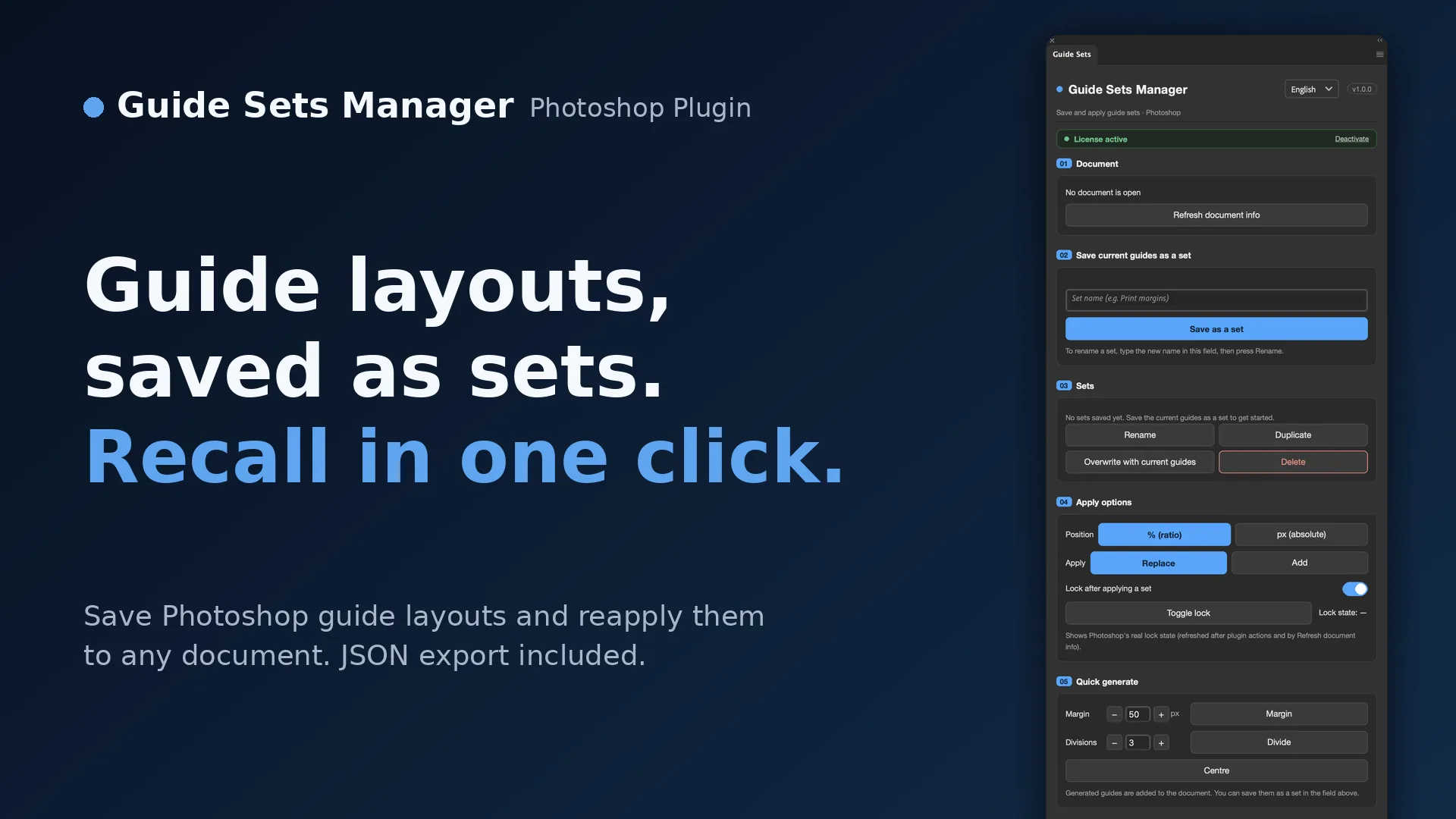
(English / Japanese)Save guide layouts as sets and recall them in one click. Save your Photoshop guide setups and reapply them to any document.
v1.0.0 / Photoshop 23.3 or later / macOS & Windows
Your download link and license key arrive in your order confirmation email. One license covers up to 2 computers.
Overview
Name your Photoshop guides — save them, switch between them. In Photoshop, guides can only be drawn again for each document. Do you measure out and redraw the same layouts — "print margins", "social media size", "delivery spec" — every time?
Guide Sets Manager is a UXP plugin that saves the guides you have as named "sets" and applies them to any document in one click. When applying, guides scale by ratio (%) to the document size, so the same layout is reproduced even on a different paper size. Exact positions can also be reproduced in absolute px.
Who It's For
- You redraw the same margins and grids over and over
- You make print pieces, social images, banners and other different-sized work in parallel
- You want to reuse guide layouts as your own or your team's standards
- You want to stop applied guides from shifting while you work (auto-lock supported)
Features
Save Guides as Sets
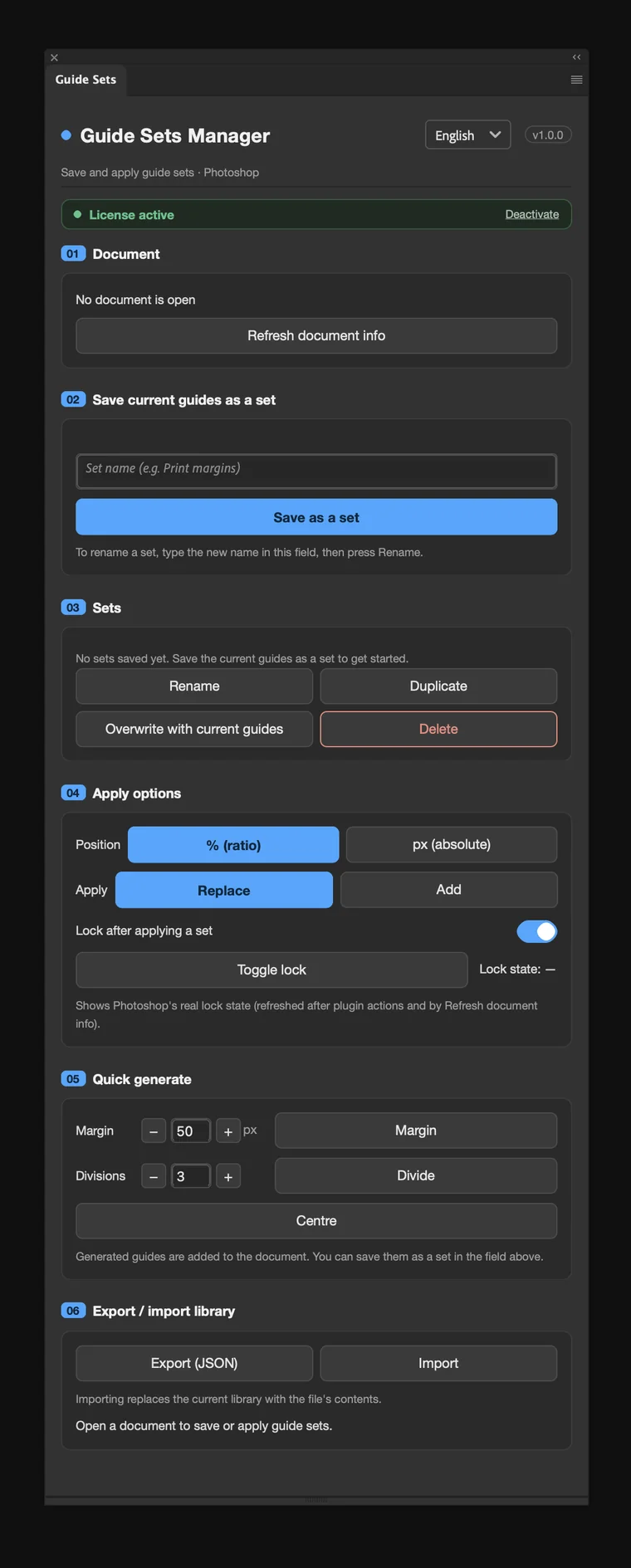
Save the guides on your canvas with a name. Sets are stored inside the plugin, so the same list is available no matter which document you open (they are not saved inside the PSD).
One-Click Apply (% / px, Replace / Add)
Positions are % (ratio: scales to the current document's size) or px (absolute: reproduces the saved position exactly). Apply mode: Replace (clear the guides you have first) or Add (add to the guides you have).
Guide Locking
Turn on "Lock after applying a set" and guides lock right after applying. The "Toggle Lock" button locks and unlocks at any time, and the panel shows Photoshop's actual lock state. Even while locked, you can add and remove guides from the panel.
Quick Generate
Margins (4 guides inside the px value you enter) / Divisions (split vertically and horizontally into 2–99 equal parts) / Center (2 guides at the vertical and horizontal center). Generated guides can be saved as a set as they are.
Set Management
Rename, duplicate, overwrite with the current guides, and delete — all from the panel.
Export / Import
The whole library can be exported to a JSON file — handy for backups and for moving to another computer (importing replaces your current library).
Screenshots
Requirements
- Software
- Adobe Photoshop 23.3 or later
- OS
- macOS (Apple Silicon & Intel) / Windows 10 & 11
- Format
- Photoshop UXP plugin (no Creative Cloud app needed for installation)
- Languages
- Japanese & English (follows your Photoshop UI language; manual switching available)
- License
- One license covers up to 2 computers (Mac and Windows can be mixed). Version 1.x updates are free.
* Sets are stored inside the plugin. They are not saved in the PSD file, so handing a PSD to someone else does not share your sets (use JSON export if you want to share them). Guide colors follow your Photoshop preferences.
FAQ
Does the same layout work on documents of different sizes?
Yes. Apply in % (ratio) and the guides scale to the current document's size, keeping the saved proportions. You can also reproduce saved positions exactly in px (absolute).
Are sets saved in the PSD file?
No. Sets are stored inside the plugin, so the same list is available no matter which document you open. To move them to another computer, use JSON export / import.
How do I receive my license key after purchase?
Your order confirmation email contains the download link and your license key. Enter the key in the panel to activate — this first activation is the only step that needs an internet connection. Download links can be reissued free of charge within 30 days of purchase.
How many computers can I use it on?
One license can be activated on up to 2 computers. Activation is done online the first time only. After activation, you can keep using it offline, with no expiry. When you replace a computer, deactivate it from the old computer's panel to free up the slot.
Can I return or cancel my purchase?
You can cancel as long as the download has not started and your license key has not been issued. For details, see the Act on Specified Commercial Transactions (Japanese). (The Japanese version is the authoritative text.)
One-time purchase. Your download link and license key arrive in your order confirmation email.