Aligns
King of Align
The same align panel for Photoshop, Illustrator and After Effects. Align, distribute and space layers and objects with the same controls in every app.
v1.0.0 / Photoshop, Illustrator & After Effects / macOS & Windows
Choose a PackYour download link and license key arrive in your order confirmation email. The key works in the apps included in your pack. One license covers up to 2 computers.
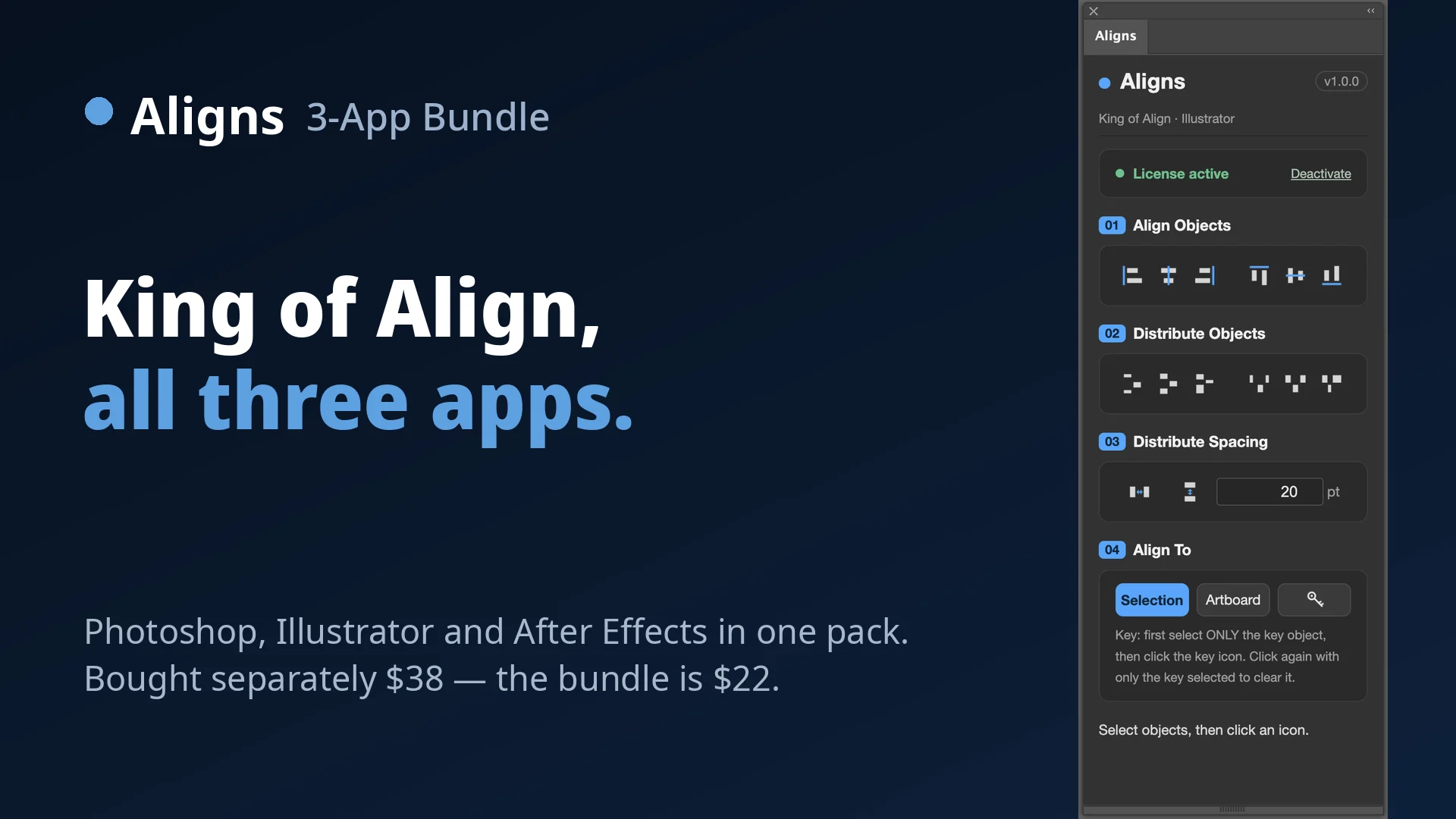
Overview
Every time you switch between the three apps, aligning works differently. Aligns is the align panel that removes that difference. The panel layout and icons are the same in all three apps — move between apps and there is nothing to relearn.
Features (All Apps)
The Same UI in All Three Apps
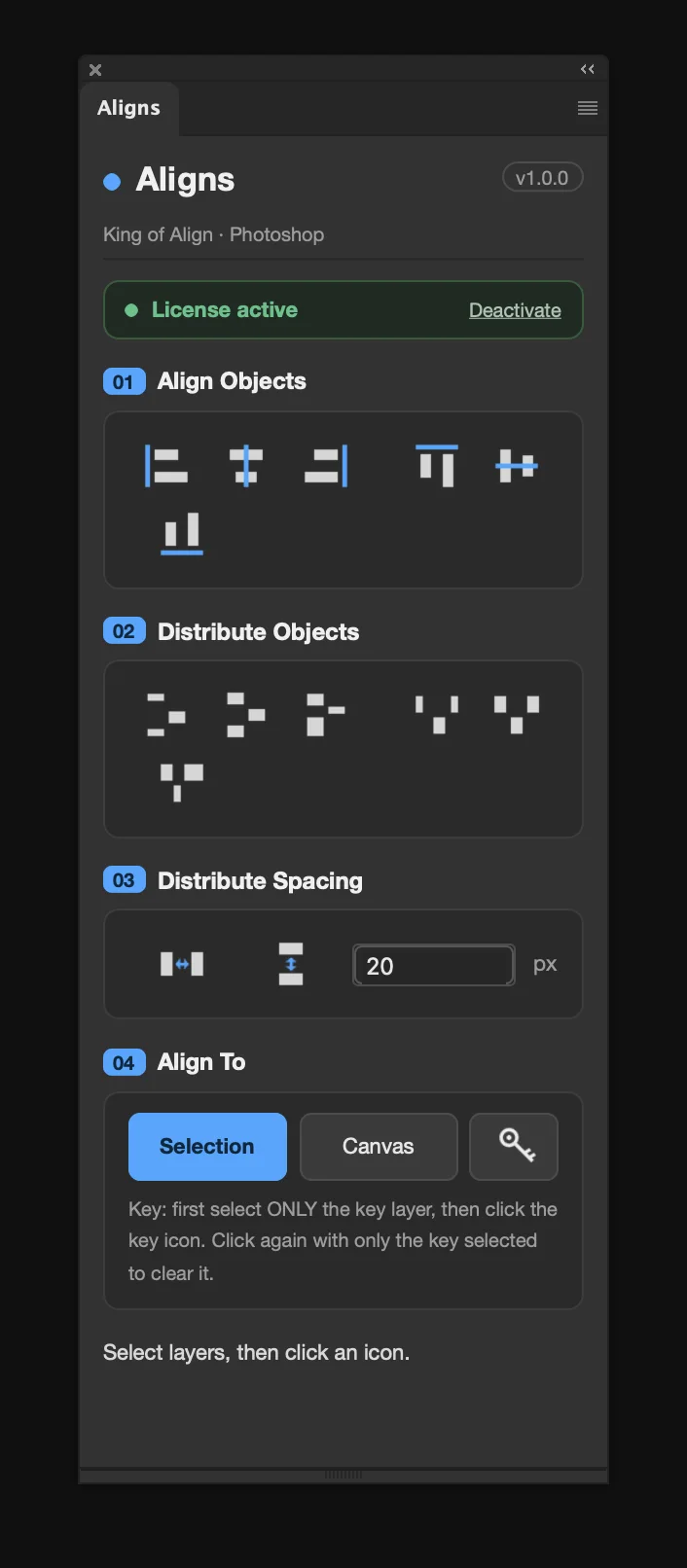
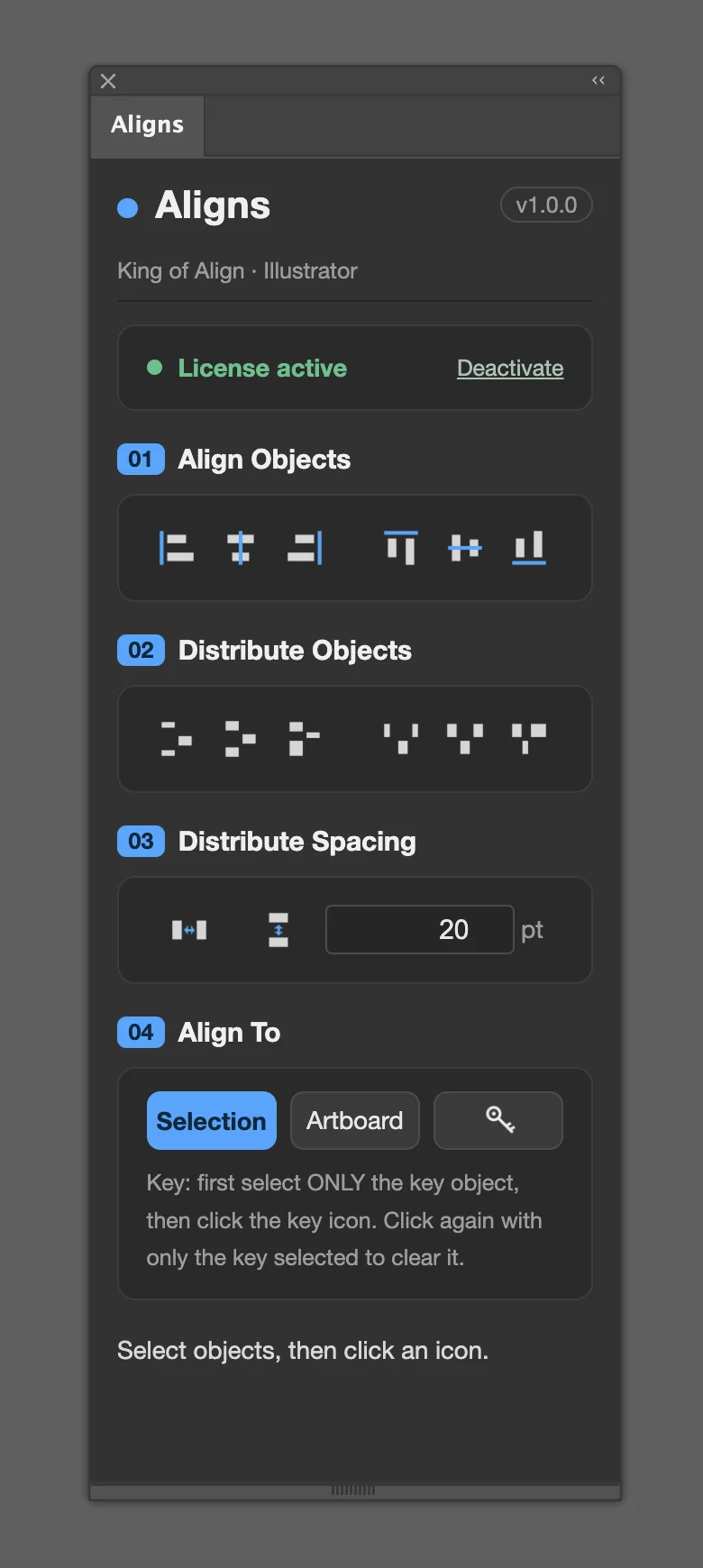
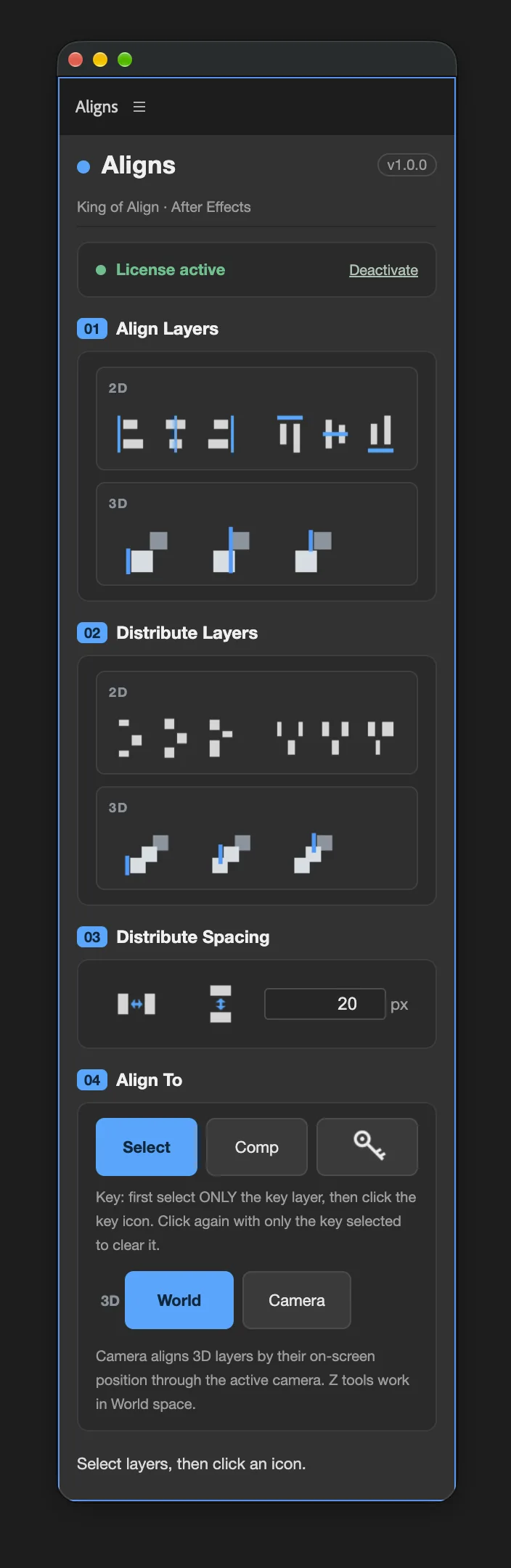
Align, distribute, spacing and switching the reference live in the same layout, with the same icons, in all three apps.
Align Objects
Align to the left edge, horizontal center, right edge, top edge, vertical center or bottom edge.
Distribute Objects
Distributes the selected layers or objects evenly, based on their edges or centers. Usable with three or more.
Distribute Spacing
Sets the gaps between layers or objects to any value you specify (the spacing unit differs by app — see each pack’s description).
Align To
Choose the reference from three options: Selection (everything selected) / the app’s canvas equivalent (Canvas, Artboard or Comp) / Key (a designated key layer or key object).
Key Object Alignment
The layer or object you choose as the reference never moves; only the others move. It works not only for alignment, but also for distribution and spacing. The steps are the same in all three apps: select just the one you want as the key and press the key icon.
Responsive UI That Fits the Panel Width
The icon layout switches automatically with the panel width (a row / three columns / a single vertical column of icons only). It sits comfortably in a narrow dock and keeps the tools you need within reach. Illustrator’s built-in Align panel does not do this — it is a signature Aligns feature.
One Click = One History Step
Each operation is recorded as a single history (undo) step in each app, so if the result isn’t what you pictured, you can undo it all at once.
Screenshots
Pricing (3 Packs)
Photoshop + Illustrator
Photoshop / Illustrator
$19 (¥3,000)
The two-app pack for Photoshop and Illustrator — the same alignment controls for design and DTP work.
After Effects + Illustrator
After Effects / Illustrator
$19 (¥3,000)
The two-app pack for After Effects and Illustrator — the AE version goes up to 3D and camera-space alignment.
3-App Bundle
Photoshop / Illustrator / After Effects
$22 (¥3,500)
All three apps — Photoshop, Illustrator and After Effects. The two packs bought separately come to $38; the bundle is $22. Save $16 with the full set.
Every pack includes the Illustrator version. The 3-app bundle adds just ¥500 to a 2-app pack and completes the set.
Requirements
- Software
- Adobe Photoshop 23.3 or later / Adobe Illustrator 2020 (24.0) or later / Adobe After Effects 2024 (24.0) or later
- Format
- UXP plugin (Photoshop) / CEP extension (Illustrator & After Effects)
- Align To
- Selection / Canvas · Artboard · Comp / Key
- OS
- macOS (Apple Silicon & Intel) / Windows 10 & 11
- Languages
- English (the panel is in English)
- License
- One license covers up to 2 computers (Mac and Windows can be mixed). Version 1.x updates are free.
* Alignment is calculated from the visible bounds of each layer or object. Locked layers and objects, and the background layer, cannot be moved (in that case, the number of skipped items is shown at the bottom of the panel).
FAQ
How do the packs differ?
The combination of apps included. The Photoshop + Illustrator pack is $19, the After Effects + Illustrator pack is $19, and the 3-app bundle with all three apps is $22. Every pack includes the Illustrator version.
Can I use all three apps with one key?
With a 3-app bundle key, yes — it activates in all three apps. A 2-app pack key activates only in the apps included in that pack.
How do I receive my license key after purchase?
Your order confirmation email contains the download link and your license key. Enter the key in the panel to activate — this first activation is the only step that needs an internet connection. Download links can be reissued free of charge within 30 days of purchase.
How many computers can I use it on?
One license can be activated on up to 2 computers. After activation, you can keep using it offline, with no expiry. When you replace a computer, deactivate it from the old computer’s panel to free up the slot.
Can I return or cancel my purchase?
You can cancel as long as the download has not started and your license key has not been issued. For details, see the Act on Specified Commercial Transactions (Japanese). (The Japanese version is the authoritative text.)
One-time purchase. Choose your pack in the pricing section above.
Choose a Pack